 Dockside
Shopify purchase order template: what to put on it, with a copy you can use
The fields a supplier needs on a purchase order, a plain template you can copy into a spreadsheet or an email, and the three ways to make one from a Shopify store.
A purchase order is the written version of "please send me this". It tells the supplier what you want, how many, at what cost, where to send it and when you expect it. It also gives you something to check the delivery and the invoice against. Dockside: Purchase Orders is our app, so read the last part knowing who wrote it. The template itself works with no app at all.
What a supplier needs to see
| Part | What goes in it | Why it matters |
|---|---|---|
| Order number and date | A number that never repeats, and the day you placed it | Every later email, delivery note and invoice points back to this number |
| Your details | Store name, billing address, a person and an email | The supplier knows who to invoice and who to ask |
| Supplier | Company name, address, your account number with them | Their system finds you by the account number, not by your name |
| Ship to | The full delivery address and any delivery notes | It is often not your billing address |
| Dates | When you expect it, or a ship-by date | Without a date, "late" has no meaning |
| Lines | The supplier's SKU, product name, quantity, unit cost, line total | The supplier picks from their SKU, not from your product title |
| Totals | Subtotal, discounts, freight, tax, total, and the currency | This is the amount the invoice should match |
| Terms | Payment terms such as Net 30, and the payment due date | It sets when the money leaves your account |
| Note | Anything unusual: split delivery, packaging, who to call | It saves a round of emails |
The template
Copy this into an email, a document or the first rows of a spreadsheet and fill in the brackets.
PURCHASE ORDER [PO-1001]
Order date: [November 18, 2026]

From: [Your store name]
      [Billing address]
      [Contact name, email, phone]

To:   [Supplier name]
      [Supplier address]
      Account number: [your number with them]

Ship to: [Delivery address]
Expected by: [date]
Payment terms: [Net 30]    Payment due: [date]
Currency: [USD]

Supplier SKU | Product            | Qty | Unit cost | Total
[KC-1042]    | [Dog toy, large]   | [24] | [6.50]   | [156.00]
[KC-1107]    | [Treat pouch]      | [12] | [4.25]   | [51.00]

Subtotal:  [207.00]
Freight:   [18.00]
Tax:       [0.00]
Total:     [225.00]

Note: [Please deliver before noon. Dock at the back.]
Five mistakes that cost money
- Your SKU instead of theirs. The warehouse picks by the supplier's code. If you only have yours, add the product name and barcode.
- Units when they sell in cases. Write "4 cases of 6 (24 units)" so nobody has to guess.
- No currency. A total with no currency is read in the supplier's own.
- Reusing a number. Two orders with one number end up paid once or delivered once.
- Changing an order by email only. Send the order again with the change in it, so the last document is the right one.
Three ways to make one from a Shopify store
1. By hand, with the template above
Fine for a few orders a month. The cost is that nothing updates your stock when the delivery arrives, so you adjust inventory yourself.
2. Shopify's built-in purchase orders
The Shopify admin has purchase orders under Products, at no extra cost, with a PDF you can export. Receiving the delivery updates your inventory. You choose each product and quantity yourself. We compare it in detail in Shopify's built-in purchase orders or an app.
3. A purchase order app
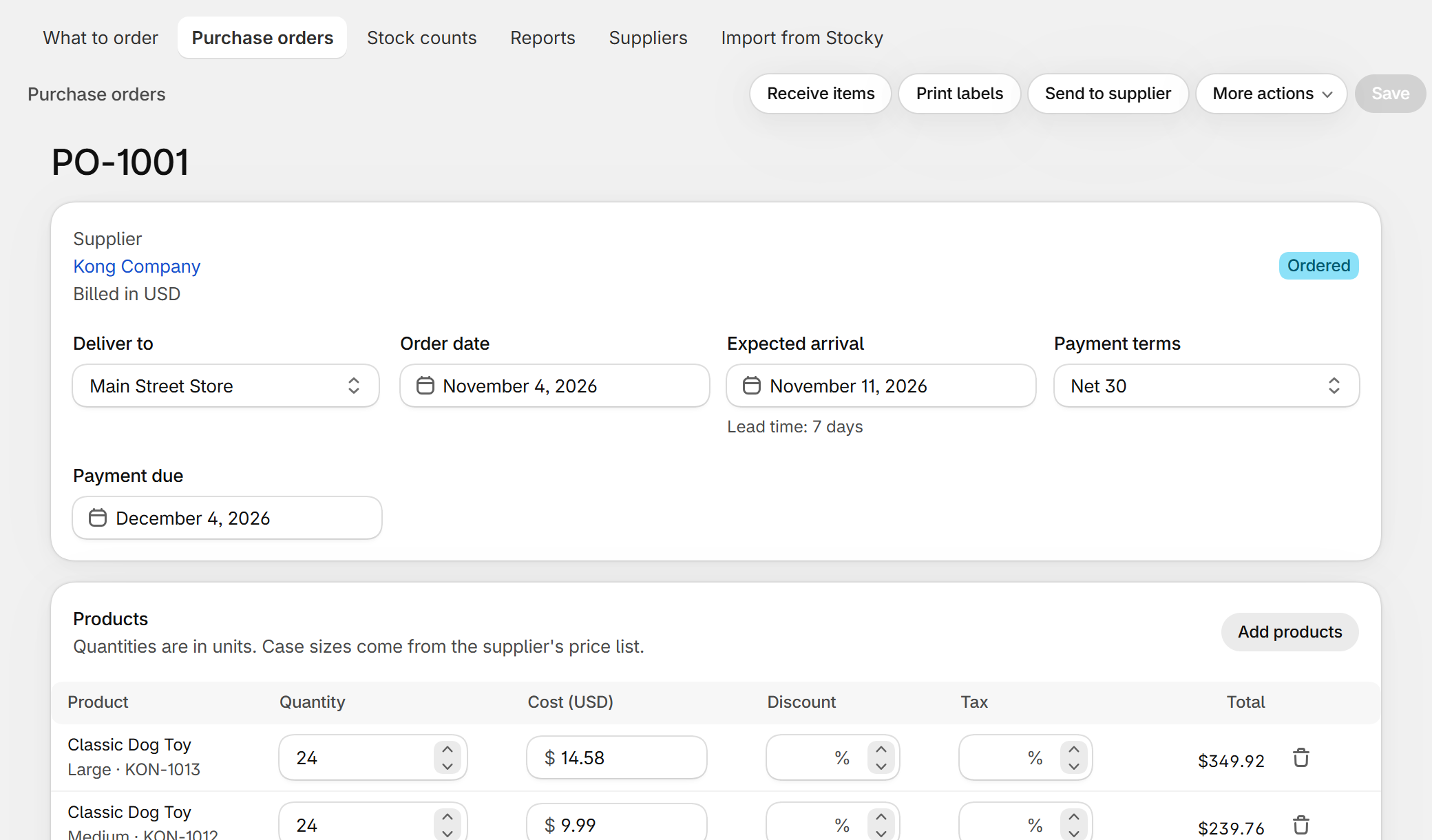
In Dockside the order is built from what the store already knows. The supplier's address, currency, payment terms and account number come from the supplier. The costs come from that supplier's price list, and the quantities can come from the reorder suggestions. The PDF carries the fields in the table above, with your logo if you add one. It is free for five new purchase orders a month, then $29 a month.
Questions
Is a purchase order a contract?
It becomes one when the supplier accepts it. Until then it is an offer to buy. For anything large, ask for a written confirmation.
What is the difference between a purchase order and an invoice?
You send the purchase order to say what you want. The supplier sends the invoice to say what you owe. The two should match, and the purchase order number on the invoice is how you check.
How should I number them?
Start at PO-1001 and go up by one. Do not put the date or the supplier in the number: it gets long and people mistype it.
I used Stocky. Can I keep my old orders?
Yes, if you exported them. See how to import Stocky purchase orders.
Dockside: Purchase Orders — purchase orders, receiving, stock counts and reorder suggestions inside your Shopify admin. Free for five new purchase orders a month.
More guides
- Stocky alternativeStocky closed on August 31, 2026. What it did, what Shopify's own purchase orders cover, and how to keep ordering, receiving and counting stock without a spreadsheet.
- Import Stocky purchase ordersWhat the Stocky purchase order export contains, which columns matter, and how to turn that CSV into suppliers, supplier codes, case sizes and costs again.
- Shopify purchase orders vs DocksideWhat the purchase orders inside the Shopify admin do, what they leave to you, and when a purchase order app like Dockside is worth adding.
- How to do a stocktake on ShopifyHow to count your stock and correct it in Shopify: what to prepare, the count step by step, what to check before you apply it, and the tools you can use.