 Dockside
A Stocky alternative for purchase orders, receiving and stock counts
Stocky closed on August 31, 2026. What it did, what Shopify's own purchase orders cover, and how to keep ordering, receiving and counting stock without a spreadsheet.
Stocky, Shopify's inventory app for POS Pro stores, stopped working on August 31, 2026. If you used it to write purchase orders, receive deliveries and count stock, this page goes through what you lost, what Shopify's admin now does on its own, and where a replacement app is still needed.
What Stocky did
- Purchase orders with supplier codes, costs, tax, shipping and a document to send to the vendor.
- Receiving, including partial deliveries, by typing quantities or scanning barcodes.
- Stock counts (stocktakes) with the difference between counted and expected.
- Reorder suggestions from recent sales, lead time and minimum stock.
- Reports such as ABC analysis, low stock and stock on hand value. For that last one, see how to get your month-end inventory value.
What Shopify's admin covers today
Shopify has purchase orders and transfers built into the admin. They are a reasonable fit when you place a few simple orders. Stores coming from Stocky usually notice these gaps first:
- No suggestion of what to order or how many; you decide each quantity yourself.
- No supplier price list with case sizes or minimum quantities. Costs are filled in from your last order with that supplier, or from the product's cost.
- No way to bring your Stocky history in.
- Stock counts and their money value are not part of purchase orders.
If none of that matters to your store, the built-in purchase orders are free and already there. Start with them.
What Dockside does
Dockside: Purchase Orders is an app that lives inside your Shopify admin and covers the same daily work Stocky did.
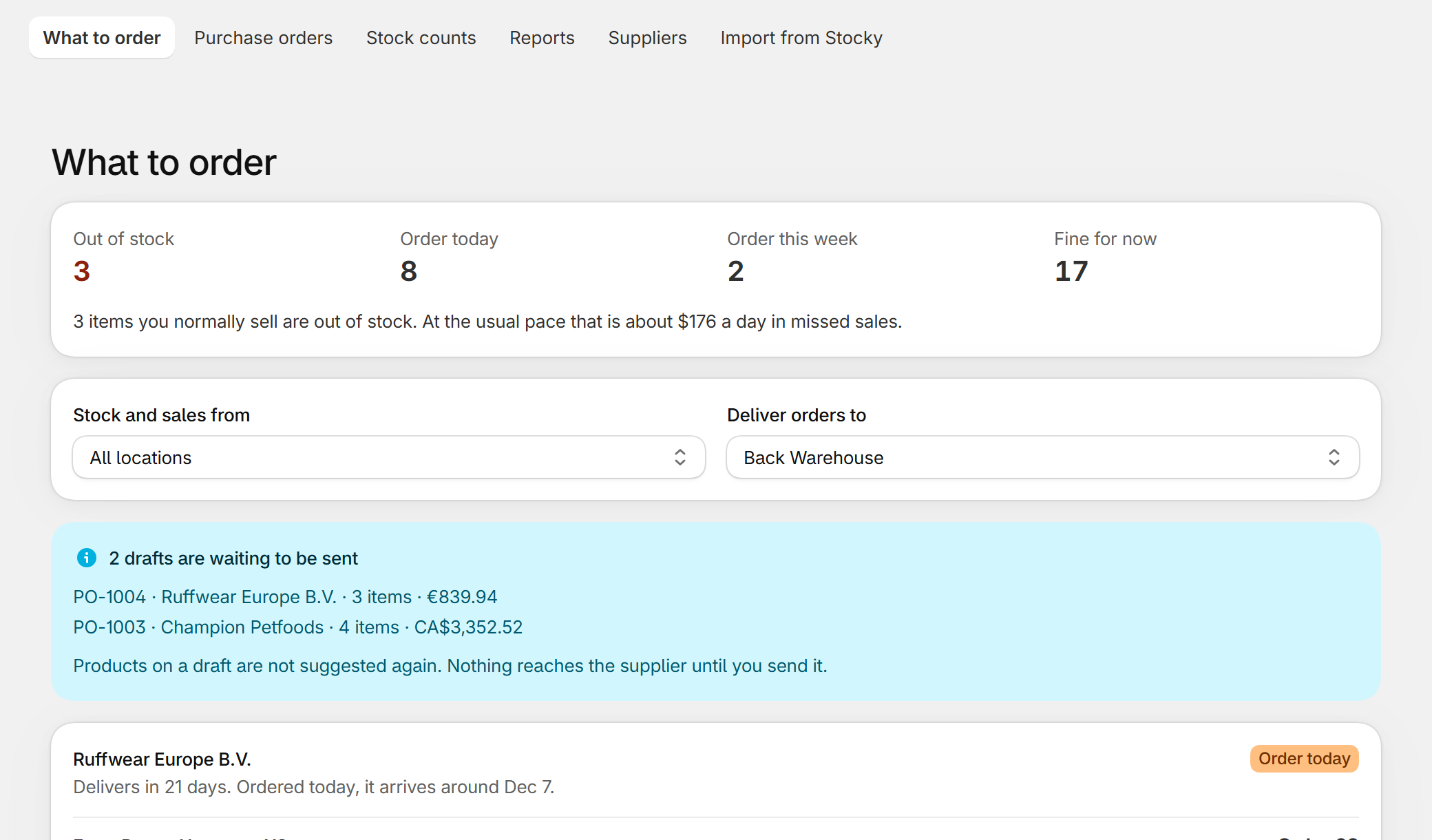
It tells you what to order, and why
For every product it shows units sold recently, stock on hand, what is already on its way and the supplier's lead time, then the quantity that follows from them. The lead time is measured from your own past deliveries once you have a few. Quantities respect case sizes, minimum quantities per product and the supplier's minimum order.
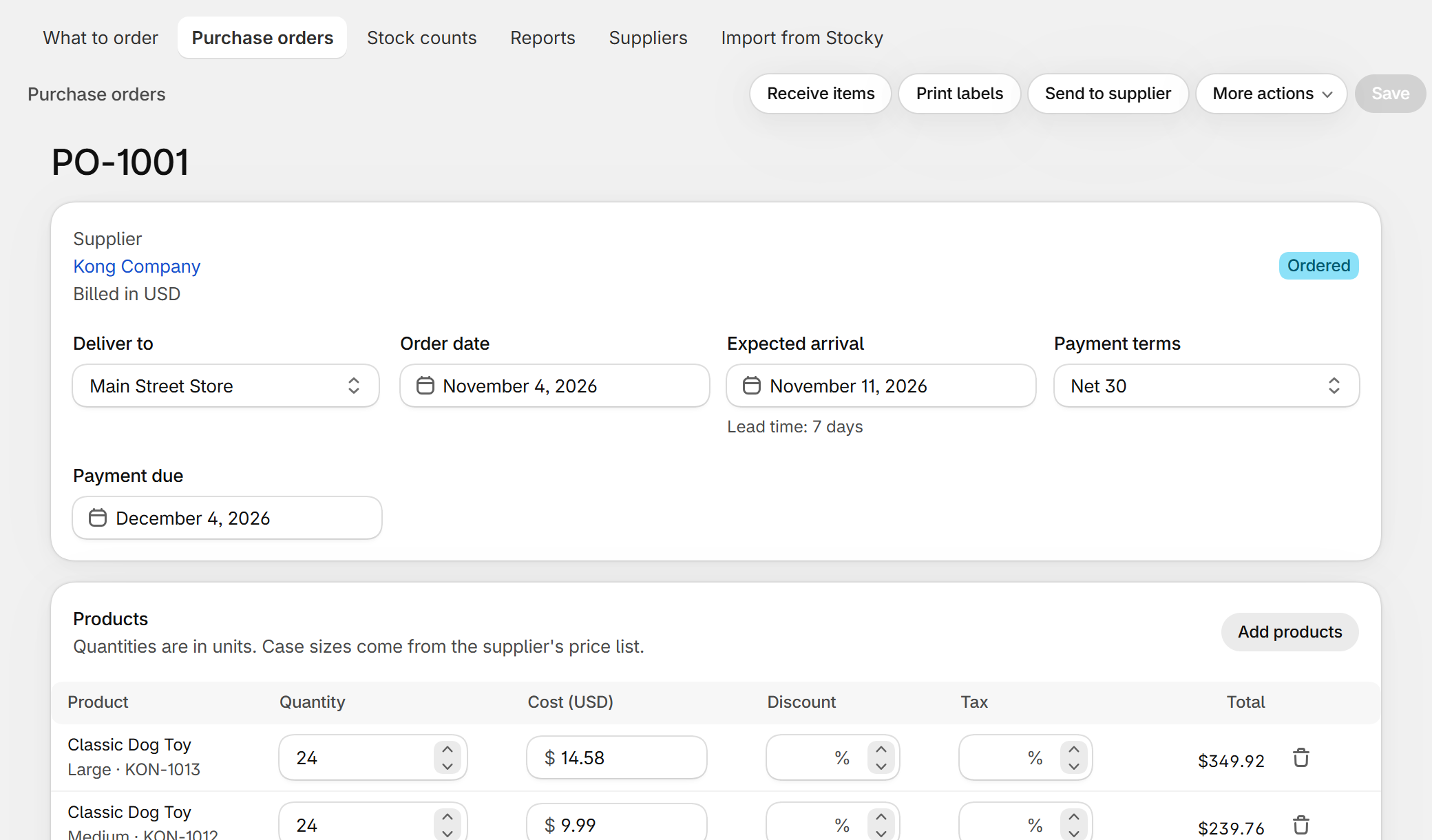
Purchase orders with the real cost
Costs come from the supplier's price list, in the supplier's currency. Discounts, tax, freight and other charges are on the order, and the document downloads as a PDF you can send.
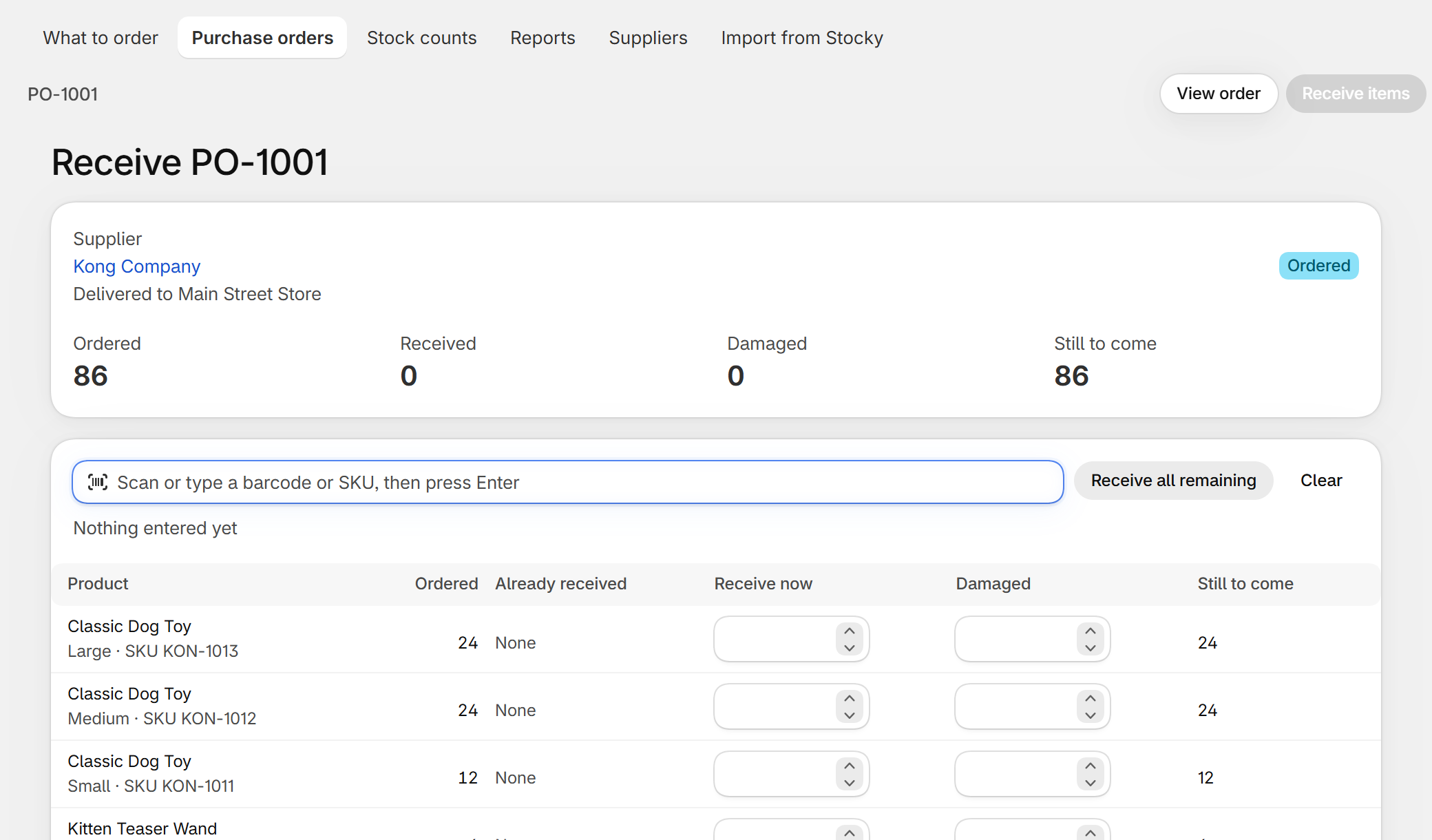
Receiving that can be undone
Receive everything or part of a delivery, by scanning or typing. Stock in Shopify goes up at the location on the order. If a receipt was wrong, undo it from the order and the same units come back out.
Stock counts with their value
Count a location, a supplier or a selection of products. Before you apply the count you see each difference in units and in money.
Bringing your Stocky data
If you exported your purchase orders from Stocky before it closed, that CSV file is enough. The import reads it, shows what it found before changing anything, and then creates your suppliers, their product codes, case sizes and last costs. Your past purchase orders are kept as history and do not touch your stock. The steps are in how to import Stocky purchase orders.
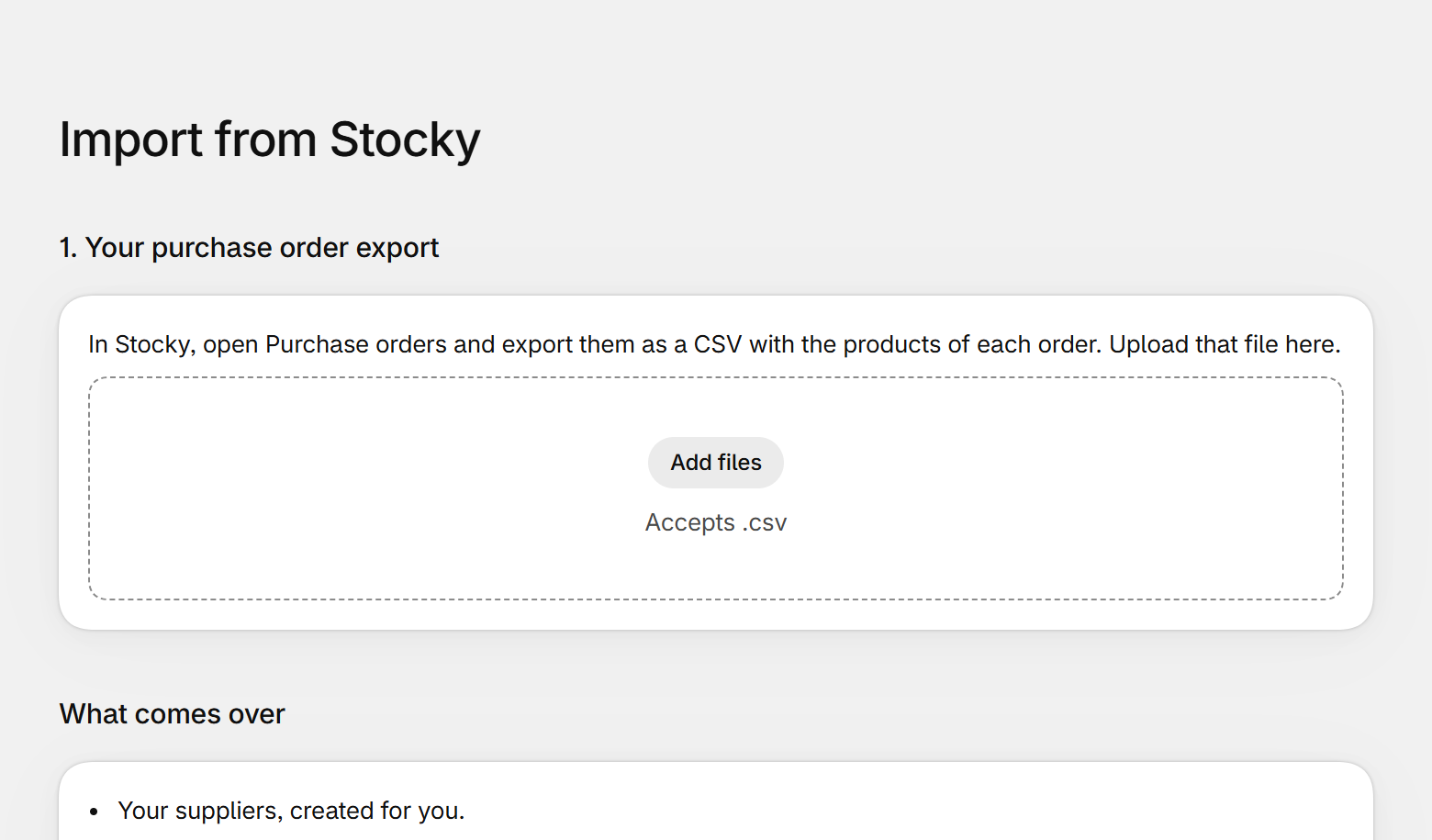
Stocky and Dockside side by side
| Stocky | Shopify admin | Dockside | |
|---|---|---|---|
| Purchase orders | Yes | Yes | Yes |
| Partial receiving | Yes | Yes | Yes, and a receipt can be undone |
| Reorder suggestions | Yes | No | Yes, with the reason for each quantity |
| Case sizes and minimums | Partly | No | Yes |
| Stock counts | Yes | Separate tool | Yes, with the value of each difference |
| Import from Stocky | — | No | Yes |
| Requires POS Pro | Yes | No | No |
What it costs
The free plan includes every feature and covers five new purchase orders a month. Purchase orders brought over from Stocky do not count. Unlimited purchase orders are $29 a month, billed through Shopify.
Questions
Is Stocky coming back?
No. Shopify retired it and pointed stores to the purchase orders in the admin and to apps in the App Store.
I did not export from Stocky in time. Can I still switch?
Yes. Add your suppliers and import a price list from a spreadsheet; reorder suggestions work from your Shopify sales, which the app reads on its own.
Does it work with Shopify POS and several locations?
Yes. Suggestions, orders and counts are per location, and sales from POS count the same as online sales.
Dockside: Purchase Orders — purchase orders, receiving, stock counts and reorder suggestions inside your Shopify admin. Free for five new purchase orders a month.
More guides
- Import Stocky purchase ordersWhat the Stocky purchase order export contains, which columns matter, and how to turn that CSV into suppliers, supplier codes, case sizes and costs again.
- Shopify purchase orders vs DocksideWhat the purchase orders inside the Shopify admin do, what they leave to you, and when a purchase order app like Dockside is worth adding.
- Purchase order template for Shopify storesThe fields a supplier needs on a purchase order, a plain template you can copy into a spreadsheet or an email, and the three ways to make one from a Shopify store.
- How to do a stocktake on ShopifyHow to count your stock and correct it in Shopify: what to prepare, the count step by step, what to check before you apply it, and the tools you can use.