 Dockside
Landed cost on Shopify: how to split freight into the cost per item
Three ways to share freight and other charges across the products of a purchase order (by quantity, by value, by weight), worked on the same order, and how to choose.
The price on the supplier's invoice is not what a product cost you. Freight, duty, insurance and handling arrive on the same bill, and until they are shared out your margins look better than they are. The cost of a unit with its share of those charges is its landed cost. Dockside: Purchase Orders is our app, so read the part about it knowing who wrote it. The arithmetic works in a spreadsheet too.
One order, three answers
Take one purchase order with two products and $150 of freight:
| Product | Units | Cost each | Line total | Weight each |
|---|---|---|---|---|
| Mug | 100 | $4.00 | $400 | 0.4 kg |
| Lamp | 10 | $60.00 | $600 | 3 kg |
| Order | 110 | $1,000 | 70 kg in total |
The same $150 lands very differently depending on the rule:
| Rule | How it is worked out | Mug, landed | Lamp, landed |
|---|---|---|---|
| By quantity | $150 ÷ 110 units = $1.36 on every unit | $5.36 | $61.36 |
| By value | $150 ÷ $1,000 = 15% on every cost | $4.60 | $69.00 |
| By weight | $150 ÷ 70 kg = $2.14 per kg | $4.86 | $66.43 |
All three add back to $1,150. None is wrong. They answer different questions about what made the bill as large as it was.
Which rule to use
By quantity
Every unit carries the same amount. It fits when the products are alike: the same size, a similar price, packed the same way. On a mixed order it punishes cheap products. The mug above goes from $4.00 to $5.36, a third more, because it shares a truck with lamps.
By value
Every cost goes up by the same percentage. It fits charges that follow the value of the goods: duty, insurance, a broker's fee charged as a percentage, bank charges. It is also the usual choice when you do not have weights, because it never produces an absurd number: a cheap product gets a small share and an expensive one a large share.
By weight or volume
This is the closest to how carriers charge, so it is the fairest for freight itself. It needs a weight on every product, and it needs those weights to be right. One missing weight and the rule breaks.
A reasonable default
If your products are similar, the three rules give nearly the same answer and the simplest is fine. If the order mixes heavy with light or cheap with expensive, use weight for freight when you trust your weights, and value for everything else. Whatever you pick, use the same rule every time. Costs worked out one way this month and another way next month cannot be compared.
What goes in and what stays out
- In: freight, duty, insurance, customs and broker fees, handling, and anything else you paid to get the goods to your shelf.
- Usually out: tax you get back, such as VAT or GST for a registered business. It is not a cost of the goods.
- Order discounts: a discount on the whole order is the same sum backwards. Share it the same way and each cost goes down.
- Charges that arrive later: the duty bill often comes after the goods. Either wait for it before you update costs, or correct the costs when it arrives. Do not leave it out.
Mistakes that change the number
- Sharing over what was ordered when only part arrived. If the freight was for the whole order, share it over the whole order, not over the first box.
- Mixing currencies. Goods in the supplier's currency and freight in yours: convert first, then share.
- Replacing the cost when there is old stock. If 40 units are on the shelf at the old cost and 100 arrive at a new one, the honest cost is the average weighted by units, not the newest.
- Rounding too early. Keep four decimals while you calculate and round at the end, or the shares stop adding up to the bill.
- Counting damaged units. Units that arrived broken did not join your stock. Leave them out of the units that take a share, and claim them from the supplier.
Where to do it
A spreadsheet
One row per product with units and cost. For the value rule, the landed cost is the cost multiplied by one plus charges divided by goods. Then type the result into Cost per item on each variant in Shopify. It works for a few orders a month and gets slow after that.
Shopify's own purchase orders
Shopify's purchase orders let you record freight and other fees as cost adjustments on the order. Check in your admin whether they change Cost per item on your products, because that is the number your profit reports read.
Dockside
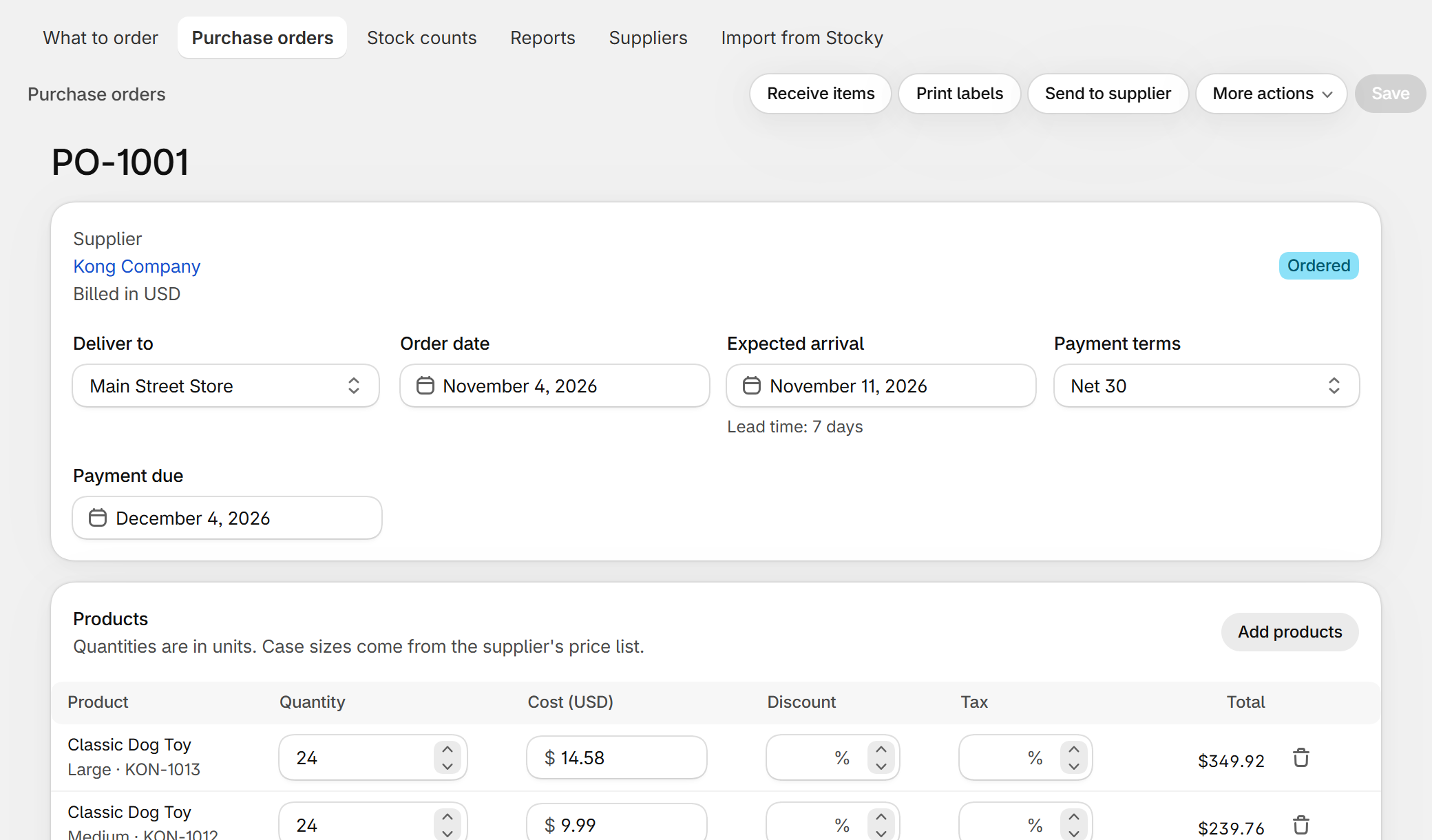
In Dockside the charges are on the purchase order. When you receive a delivery you can tick a box to update Cost per item in Shopify, and a second one to include the order's charges. You choose how they are shared: by value, where every cost on that order goes up by the same percentage, or by quantity, where every unit carries the same amount. The page shows the percentage or the amount per unit before you save. Taxes are left out, and an order discount is always shared by value. Another box averages the new cost with the units already on the shelf. Dockside does not share freight by weight today. It is free for five new purchase orders a month, then $29 a month.
Questions
Does landed cost change what my stock is worth?
Yes. Stock is valued at cost, so a cost that includes freight and duty gives a higher and more honest figure at the end of the month. See month-end inventory value on Shopify.
Does landed cost change my prices?
No. It changes Cost per item, which changes the margin and profit you see. What to charge is still your decision.
Should I include the cost of my own staff unpacking?
Most small stores do not. Keep landed cost to what you were billed to get the goods in, and treat wages as a running cost.
I used Stocky for purchase orders. What now?
Stocky closed on August 31, 2026. See the Stocky alternative guide for what replaces each part of it.
Dockside: Purchase Orders — purchase orders, receiving, stock counts and reorder suggestions inside your Shopify admin. Free for five new purchase orders a month.
More guides
- Stocky alternativeStocky closed on August 31, 2026. What it did, what Shopify's own purchase orders cover, and how to keep ordering, receiving and counting stock without a spreadsheet.
- Import Stocky purchase ordersWhat the Stocky purchase order export contains, which columns matter, and how to turn that CSV into suppliers, supplier codes, case sizes and costs again.
- Shopify purchase orders vs DocksideWhat the purchase orders inside the Shopify admin do, what they leave to you, and when a purchase order app like Dockside is worth adding.
- Purchase order template for Shopify storesThe fields a supplier needs on a purchase order, a plain template you can copy into a spreadsheet or an email, and the three ways to make one from a Shopify store.